
Skip to Content Skip to footer

🎁 Holiday Shipping - Order by Dec. 15 for arrival by Dec 24th. FREE SHIPPING on orders $49+

How to Customize the Analog Stick Setting on the FUSION 1.0 Controller for Xbox One

ORDER HELP  SUBMIT A REQUEST

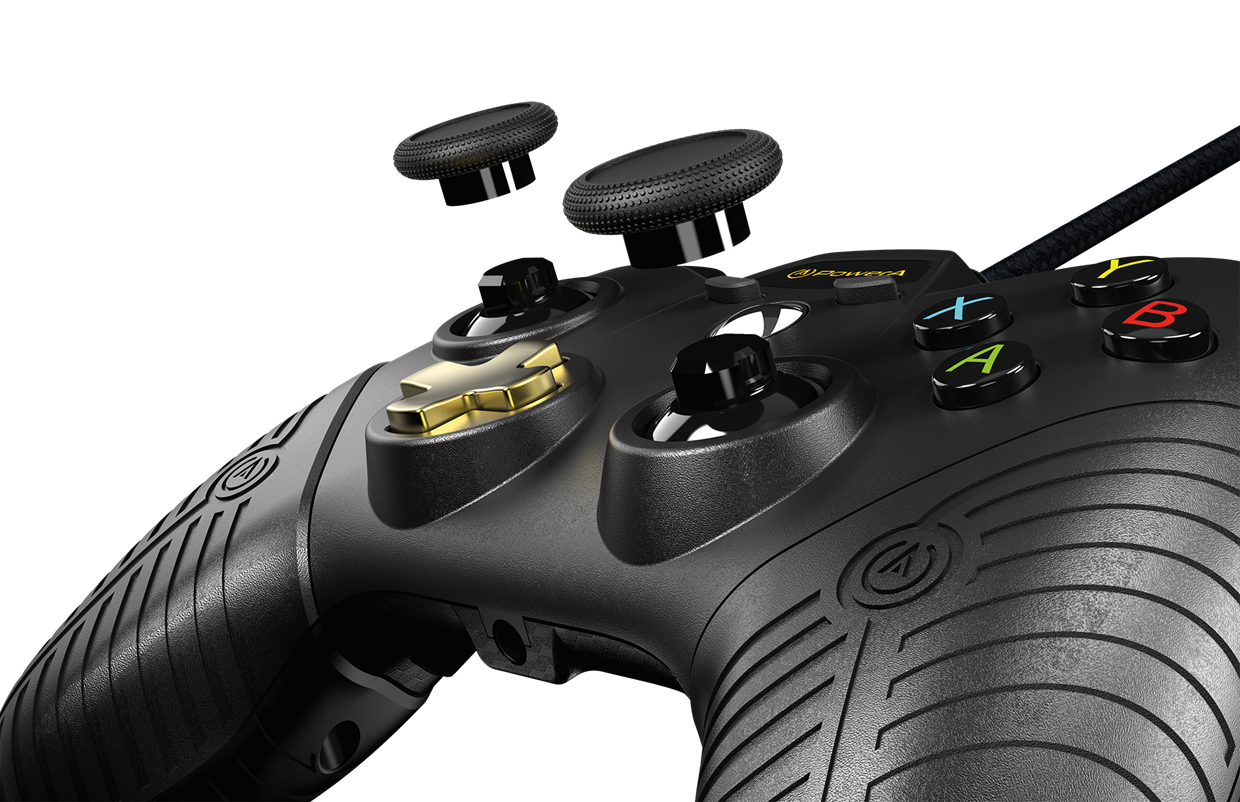
Image showing how to customise the controller

  1. Gently pull off the current analog sticks
  2. Place the preferred analog stick(s) on the analog base
  3. Ensure that the inner analog stick contacts are aligned with the base
  4. Push down on the center of the analog sticks to lock-in place
  5. A clicking sound confirms that the analog sticks are locked-in
______________________________________________________________________________________________
Have more questions? Submit a request