

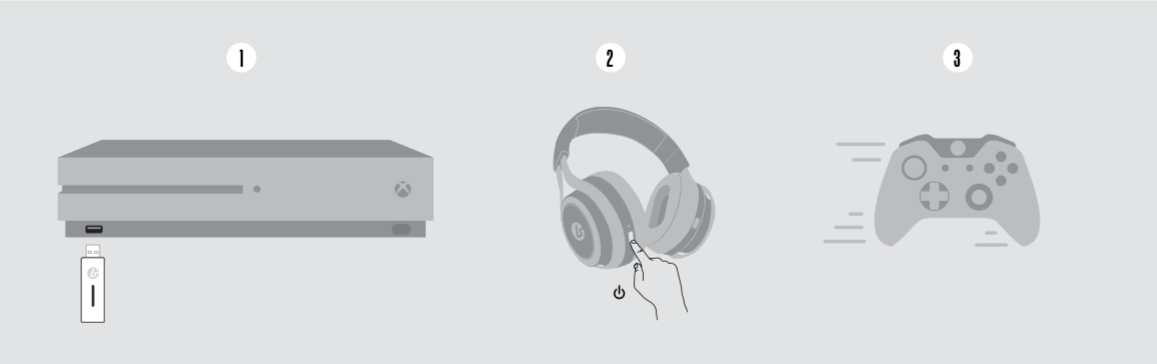
Step 1: Connect the dongle to a USB port on the Xbox One.
Step 2: Turn on the headset.
Step 3: You're ready to use the headset!
To enable Windows Sonic or Dolby Atmos for Headphones:
1. Go to Settings > Volume & audio output
2. From the Headset audio menu select Headset format:
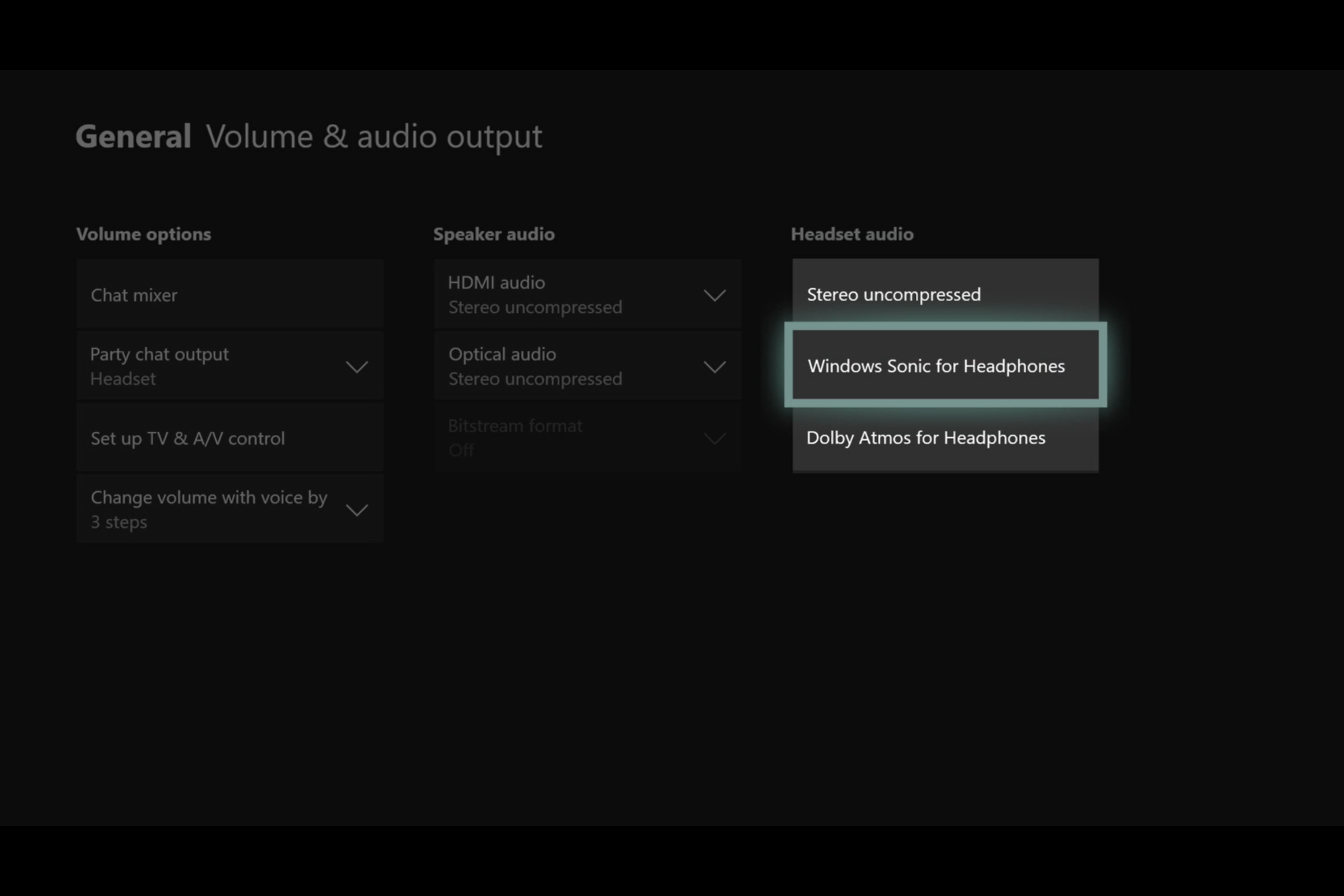
3. Now select the Stereo or Surround sound format you want to use:
Share this: