

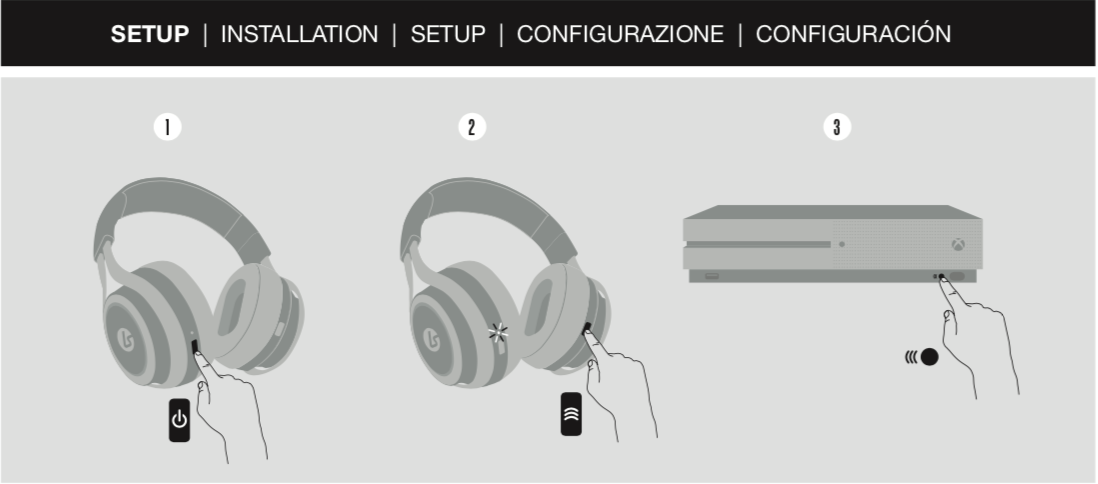
1. Power on the headset
2. Press the pairing button on the right earcup until the LED flashes quickly
3. Press the connect button on your Xbox One
To enable Windows Sonic or Dolby Atmos for Headphones:
1. Go to Settings > General > Volume & audio output
2. From the Headset audio menu select Headset format
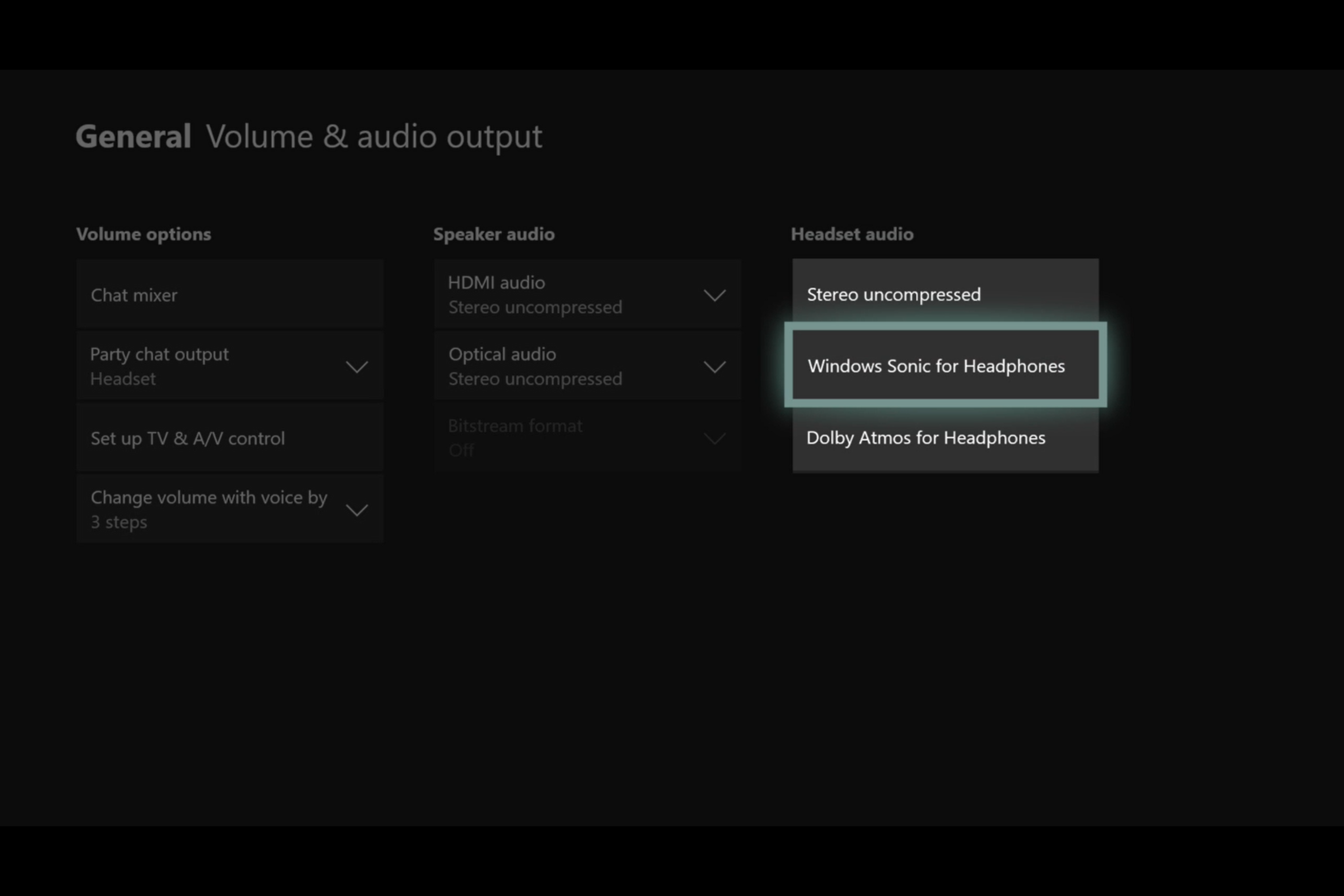
3. Now select the Stereo or Surround sound format you want to use
Share this: