

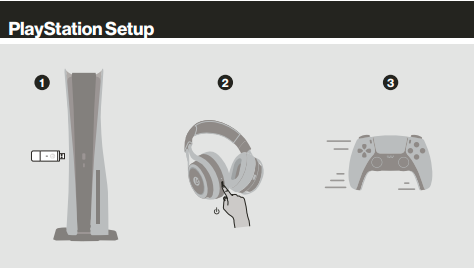
- Plug USB base station into front of PS5
- Press the power button on the headset until the LED light turns on
- Go to settings
- Step 3: You're ready to use the headset!
To enable Dolby Atmos or DTS for Headphones
- Go to Settings > Sound
- Choose Audio Output
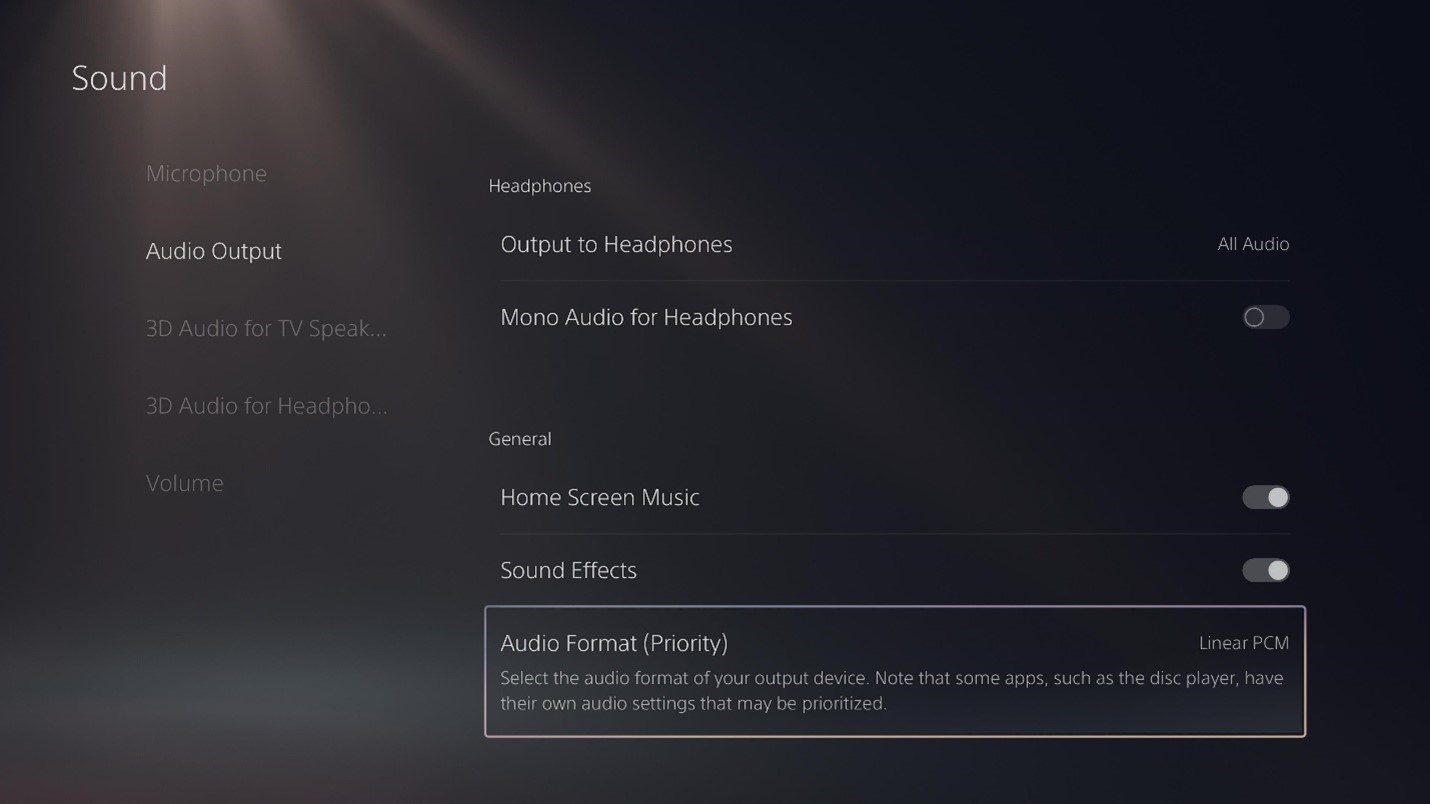
- Choose Audio Format
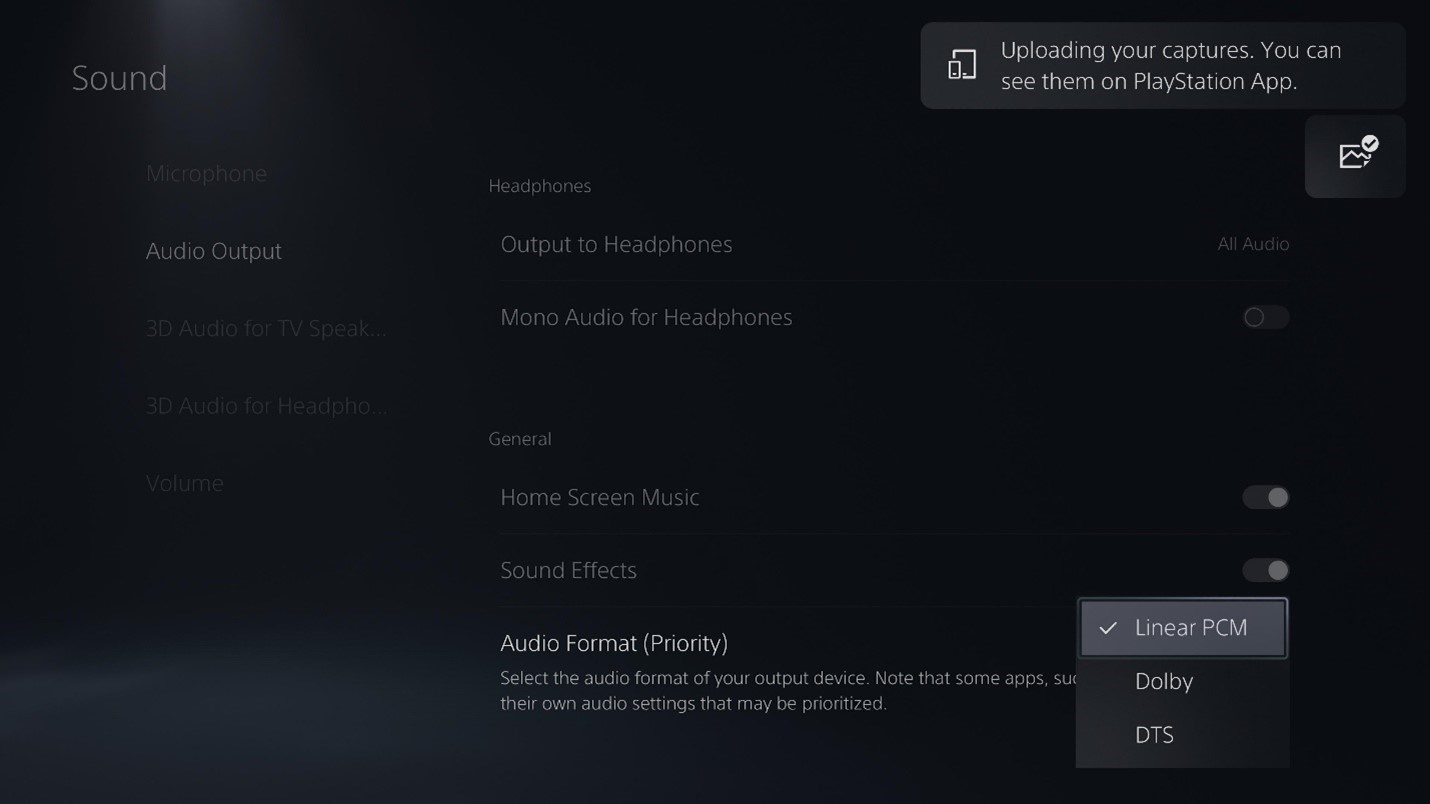
- Select you desired format
Share this: