Recommended Products
- No recommended searches
Suggestions
- No Suggestions
Site Pages
- No Related Site Pages

FREE SHIPPING on orders $49+
Hear every moment. Feel every world.
Sound is more than what you hear, it's how you experience the world. LS500 headsets are designed to make every moment feel deeper, clearer, and more real.
Built for players who want more than sound, LucidSound brings every world to life with precision audio, intuitive controls, and all-day comfort.

Wired Gaming Headset for PlayStation
Shop Now →
Wired Gaming Headset for Xbox Series X|S
Shop Now →
Wired Gaming Headset for Xbox Series X|S
Shop Now →
Wired Gaming Headset for Xbox Series X|S
Shop Now →
Wired Gaming Headset - Multiplatform
Shop Now →
Wired Gaming Headset - Multiplatform
Shop Now →
Wireless Gaming Headset for Xbox Series X|S
Shop Now →
Wireless Gaming Headset for PlayStation
Shop Now →
Wireless Gaming Headset for PlayStation
Shop Now →
Wireless Gaming Headset for Xbox Series X|S
Shop Now →
Wireless Gaming Headset for Xbox Series X|S
Shop Now →
Hear the story behind LucidSound
LS500 Quick-Access Audio Controls
LucidSound™ by PowerA™ is a gaming audio brand delivering high-quality sound with a focus on comfort and intuitive controls for both wired and wireless headsets. The LS10 wired headset line starts at MSRP $29.99, and the LS500 headset lineup starts at MSRP $69.99. Shop LucidSound on [PowerA.com](https://www.powera.com/p/lucidsound/gaming-headsets/), Amazon and major retailers.
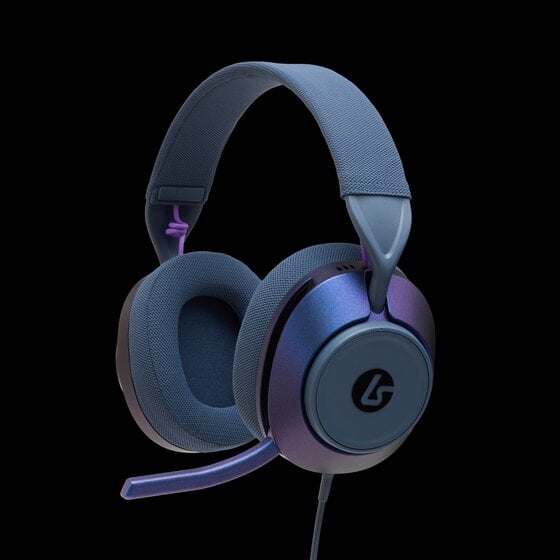
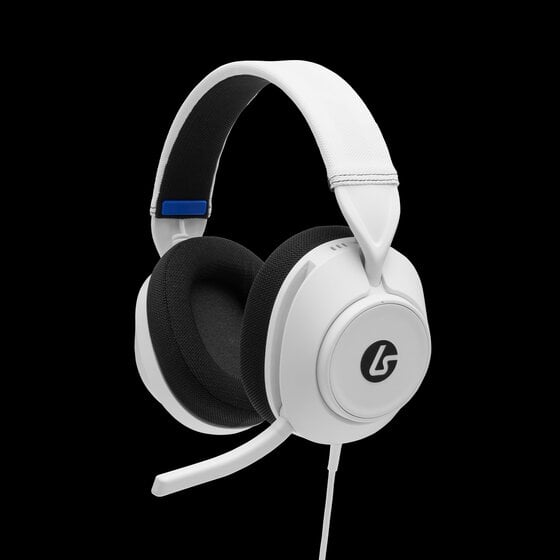
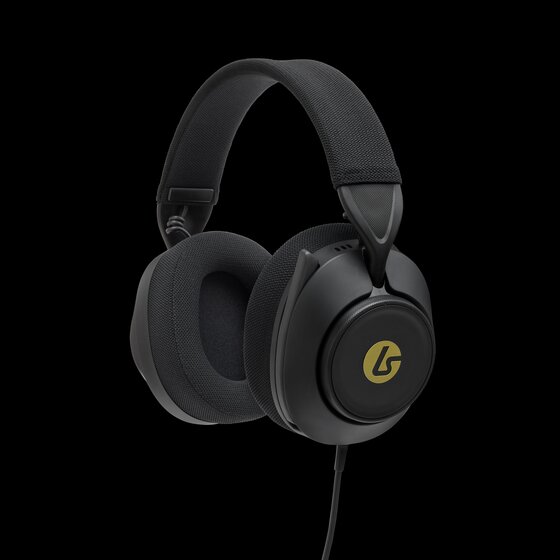
LS500: A wireless headset compatible with console, PC or Bluetooth® enabled devices, featuring 50mm drivers, EQ modes, and model-dependent options like game/chat balance or mic monitoring plus quick-access audio controls and an extended comfort design.
LucidSound headsets are designed for use with PlayStation®, Xbox®, PC, mobile, Mac, and Steam Deck, depending on the specific model. Platform compatibility is clearly listed on each [product page](https://www.powera.com/c/lucidsound/gaming-headsets/xbox-headsets/?srt=relevance) to help you choose the headset that best fits your setup.
LucidSound offers both wired and wireless headset options. Connection type and supported modes depend on the specific model. Refer to the relevant product page and/or User Manual for detailed connectivity information.
No firmware update is required before first use. LucidSound headsets generally ship with finalized firmware and are ready to use out of the box. If a firmware update becomes available in the future, clear instructions will be posted on the [LucidSound Support page](https://www.powera.com/product-support/lucidsound-support/).
Setup guides, user manuals, and additional product information are available on PowerA.com’s [LucidSound Support page](https://www.powera.com/product-support/lucidsound-support/). These resources provide step-by-step guidance to help you get started quickly on your platform.
Most audio or microphone issues are related to device audio settings, headset mode, or connection steps. Checking your platform’s input/output settings and confirming the headset is powered on and in the correct mode often resolves the issue. Additional help is available on the [LucidSound Support page](https://www.powera.com/product-support/lucidsound-support/) if needed.
Some LucidSound headsets include a mic monitoring feature that allows you to hear your own voice while speaking. This feature can usually be adjusted or turned off depending on the model.
Bluetooth® functionality varies by model. If supported, Bluetooth® allows connection to compatible devices for features such as mobile audio or calls. Refer to the LucidSound [product pages](https://www.powera.com/c/lucidsound/gaming-headsets/) or user guides for details specific to your headset.
LucidSound headsets include a 2‑year limited warranty that covers manufacturing defects. Full warranty terms and support information are available here: [PowerA Warranty Policy](https://www.powera.com/warranty-policy/)
If you need further assistance, visit the LucidSound [Support Page](https://www.powera.com/support/) to explore FAQs, tutorials, or to [submit a ticket](https://www.powera.com/support/submit-case-request/).